

Buying a keyboard should be simple. Yet somehow, it often turns into an expensive mistake. You walk into a store or browse online expecting to spend a few dollars on a basic keyboard, and suddenly you are staring at models priced at $80, $120, or even more. For many people, that simply does not make sense. After all, a keyboard is just something you type on every day, whether you are working, gaming, studying, or browsing the internet.
The truth is that you do not need to spend a fortune to get a reliable keyboard. In fact, some of the best cheap keyboards available in the United States today perform surprisingly well. Many budget models now offer comfortable typing, durable keys, and even features like backlighting or wireless connectivity. What used to be considered premium features are now appearing in keyboards that cost less than $50.
At the same time, not every cheap keyboard is a good deal. Some feel flimsy, wear out quickly, or have uncomfortable keys that make typing frustrating. That is why choosing the right budget keyboard matters. The goal is not simply to buy the cheapest keyboard available. The goal is to find the ones that offer real value for your money.
Over the past few years, the keyboard market has changed dramatically. Competition between brands has pushed prices down while improving quality. Budget manufacturers are producing keyboards that rival expensive models in comfort and performance. Mechanical keyboards that once cost over $100 can now be found for under $50. Wireless keyboards with long battery life are more affordable than ever. Even gaming keyboards packed with RGB lighting and anti ghosting features are now available at budget prices.
This means that buyers today have more options than ever before. Whether you need a keyboard for office work, gaming, school, or everyday computer use, there are plenty of affordable choices that deliver excellent performance.
This guide is designed to help you find the best cheap keyboards without wasting money on poor quality options. Instead of simply listing products, this article will walk you through everything you need to know before buying a budget keyboard.
Inside this guide, you will learn
Which types of cheap keyboards are available and how they differ
The advantages and disadvantages of membrane and mechanical keyboards
The best budget keyboards you can buy in 2026
Affordable keyboards that work well for gaming and office work
Where to buy cheap keyboards in the United States
How to choose a keyboard that lasts longer and feels comfortable to use
By the end of this guide, you will understand how to find a keyboard that fits your needs without overspending. A good keyboard should make typing easy and comfortable, not drain your wallet. Fortunately, with the right information, finding a cheap keyboard that performs well is easier than most people think.
Why Cheap Keyboards Are Better Today Than Ever
Not long ago, buying a cheap keyboard usually meant sacrificing quality. Budget keyboards were often made with thin plastic, unresponsive keys, and poor durability. Many would start failing after just a few months of use. Keys would stick, letters would fade quickly, and typing could feel uncomfortable or inconsistent.
Today, the situation is very different. Cheap keyboards have improved dramatically over the past decade. Advances in manufacturing technology, increased competition between brands, and the growing demand for affordable computer accessories have pushed companies to produce better keyboards at lower prices.
For consumers in the United States, this is excellent news. It means you can now find reliable keyboards for under $50 that perform far better than many older budget models.
Below are the main reasons cheap keyboards are now more reliable and feature packed than ever before.
Improvements in Manufacturing Technology
One of the biggest reasons cheap keyboards have improved is modern manufacturing. Keyboard components are now produced using more efficient processes that reduce production costs without sacrificing quality.
Keyboards are manufactured in large volumes, which allows companies to lower prices significantly. Automated production lines and better quality control systems also ensure that even budget models maintain consistent build standards.
As a result, many cheap keyboards today feel sturdier and more responsive than older models that cost much more years ago.
Mechanical Switches Are No Longer Expensive
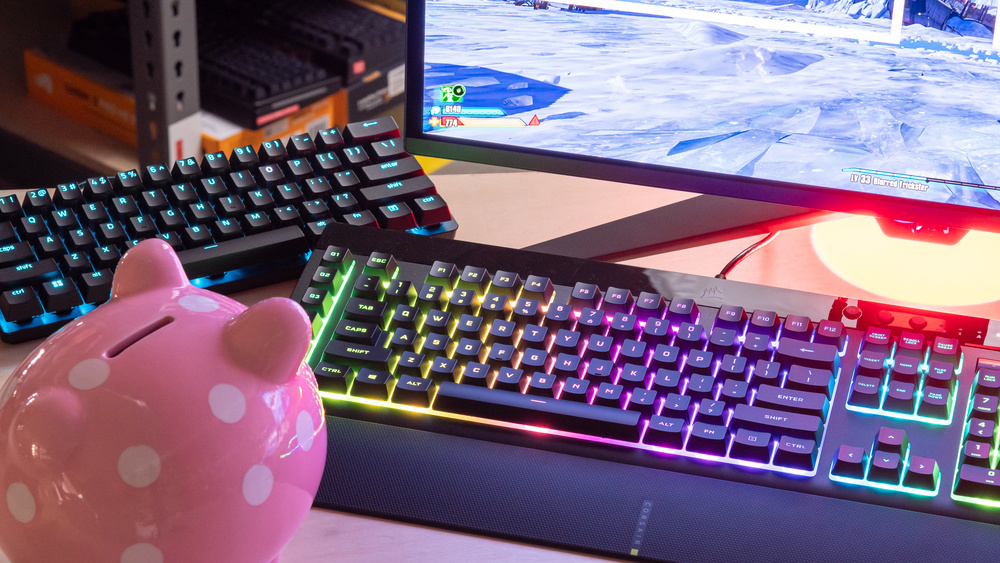
Mechanical keyboards used to be considered premium products. Many cost over $100 because the individual switches under each key were expensive to produce. Gamers, programmers, and professional typists often preferred mechanical keyboards for their durability and tactile feedback, but the price kept them out of reach for many buyers.
Today, budget mechanical keyboards have become widely available. New manufacturers and third party switch producers have entered the market, making it much cheaper to produce mechanical switches.
Because of this shift, many affordable keyboards now include mechanical switches for under $50. These switches provide a satisfying typing feel, improved durability, and faster key response compared to traditional membrane keyboards.
For gamers and heavy typists, this has been a major improvement in the budget keyboard market.
Increased Competition Between Brands
The keyboard market has become extremely competitive. Major technology companies and emerging peripheral brands are all competing for the same customers. This competition has forced manufacturers to improve quality while keeping prices low.
Brands such as Logitech, Redragon, and other budget focused companies are constantly releasing new keyboards with better features to attract buyers.
This competition benefits consumers because it leads to
Better build quality
More advanced features
Lower prices
Frequent sales and discounts
As a result, even cheap keyboards now include features that used to be reserved for high end models.
Affordable Gaming Features
Gaming keyboards used to be expensive, but that has changed significantly. Many cheap keyboards now include features that gamers value, such as
RGB lighting
Anti ghosting technology
Dedicated media controls
Faster key response
Budget gaming keyboards are now widely available in the $30 to $50 price range. This means casual gamers no longer need to spend hundreds of dollars on a gaming keyboard to enjoy a responsive and visually appealing setup.
Wireless Technology Is Cheaper
Wireless keyboards have also become more affordable in recent years. Advances in Bluetooth and USB receiver technology have lowered production costs and improved battery efficiency.
Modern wireless keyboards often provide
Reliable connectivity
Long battery life
Slim and portable designs
Some wireless models can run for months on a single set of batteries, making them ideal for office work, home setups, and travel.
Because of these improvements, many cheap wireless keyboards now offer excellent performance at prices under $30.
Better Design and Ergonomics
Another improvement in cheap keyboards is design. Manufacturers now pay more attention to ergonomics and comfort, even in budget models.
Many affordable keyboards now include
Comfortable key spacing
Low profile keys for smoother typing
Spill resistant designs
Compact layouts for smaller desks
These design improvements make typing easier and reduce fatigue during long work sessions.
Cheap Does Not Always Mean Low Quality
Perhaps the most important thing to understand is that price does not always reflect quality. Many budget keyboards are inexpensive simply because they are designed for mass production and wide distribution.
A well designed cheap keyboard can last for years if it is built properly and used carefully.
Of course, not every cheap keyboard is a great choice. Some low cost models still cut corners in build quality. That is why knowing what to look for before buying is important.
Types of Cheap Keyboards You Can Buy
Before choosing a budget keyboard, it is important to understand that not all keyboards are built the same way. Cheap keyboards come in several different types, and each one offers a different typing experience, design, and set of features.
Some keyboards focus on quiet typing for office environments. Others prioritize fast response times for gaming. Some are built for portability and wireless convenience, while others focus on durability and mechanical feedback.
Understanding the main types of keyboards available will help you choose one that fits your needs and avoids disappointment after purchase.
The most common categories of cheap keyboards include membrane keyboards, mechanical keyboards, wireless keyboards, and gaming keyboards. Each type has its own advantages and disadvantages.
Membrane Keyboards
Membrane keyboards are the most common and affordable keyboards available today. If you have ever used a basic office keyboard, there is a good chance it was a membrane keyboard.
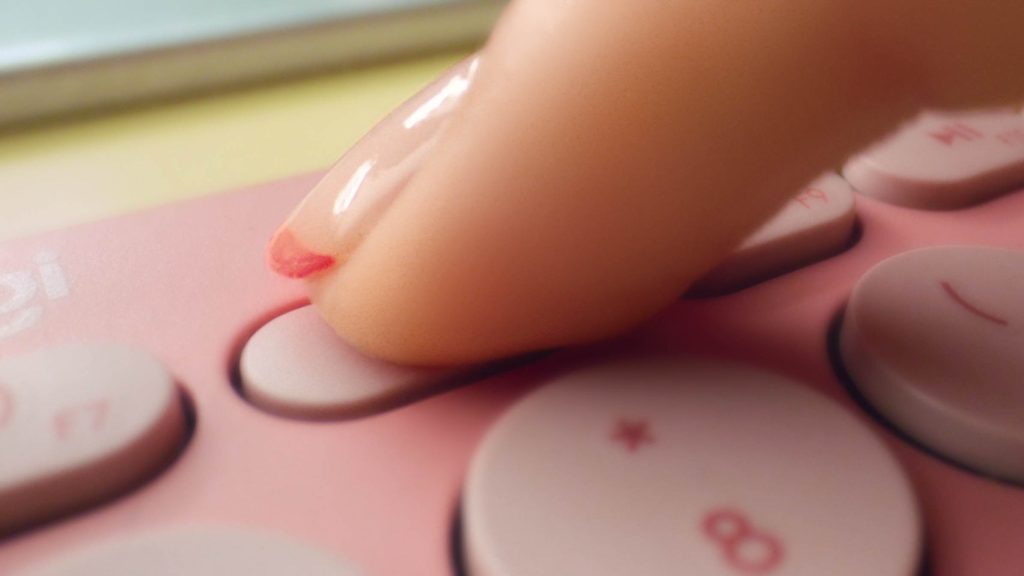
Instead of using individual switches under each key, membrane keyboards use a pressure pad system. When you press a key, it pushes down on a flexible membrane layer that completes an electrical circuit and sends the signal to your computer.
Because this system requires fewer components, membrane keyboards are cheaper to produce. This makes them one of the most common choices for budget buyers.
Advantages of Membrane Keyboards
One of the biggest advantages of membrane keyboards is their quiet typing experience. Because the keys press into a soft membrane layer rather than mechanical switches, they produce much less noise.
This makes them ideal for environments such as offices, libraries, classrooms, or shared workspaces.
Another advantage is affordability. Membrane keyboards are typically the cheapest keyboards available, often costing between $10 and $30.
They are also lightweight and compact, making them easy to move between desks or travel with.
Other benefits include
Lower price compared to mechanical keyboards
Quiet operation during typing
Lightweight design
Widely available in stores and online
Disadvantages of Membrane Keyboards
Despite their affordability, membrane keyboards do have some limitations.
Because they rely on flexible membranes rather than individual switches, they usually provide less tactile feedback. This means the typing experience may feel softer or less responsive.
Membrane keyboards also tend to wear out faster over time. Heavy typists may notice that keys begin to feel less responsive after extended use.
Common disadvantages include
Less tactile typing feedback
Shorter lifespan compared to mechanical keyboards
Less customization options
Best Uses for Membrane Keyboards
Membrane keyboards work best for users who want a simple and affordable keyboard for everyday tasks.
They are ideal for
Office work
Students and school assignments
Casual computer use
Basic home computers
For people who primarily type emails, write documents, or browse the internet, a cheap membrane keyboard can provide everything they need at a very low price.
Mechanical Keyboards
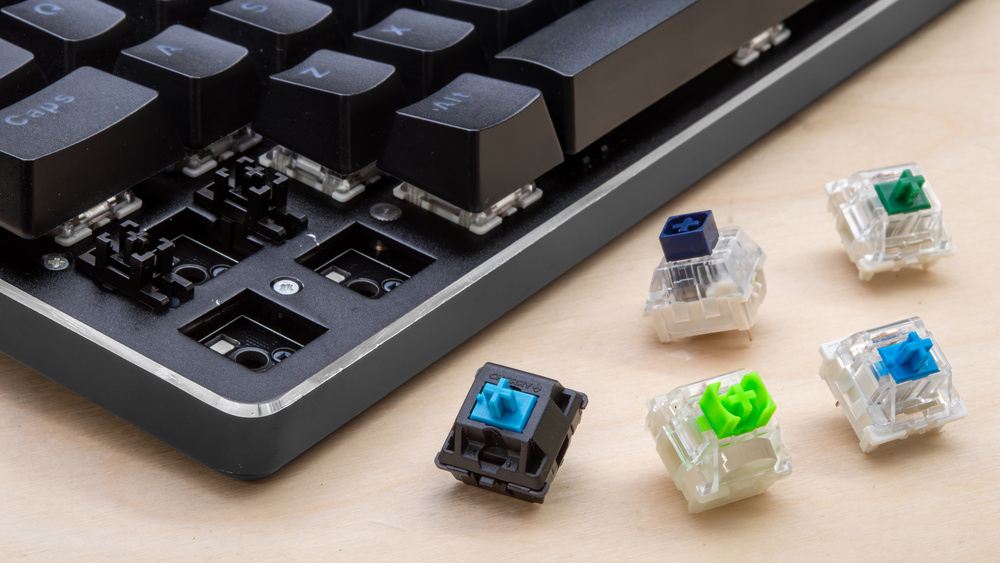
Mechanical keyboards use a completely different design from membrane keyboards. Instead of using a single pressure pad layer, each key contains its own mechanical switch.
These switches are built with small metal springs and plastic components that create a distinct typing feel when pressed. This design allows mechanical keyboards to deliver more precise feedback and improved durability.
For many years, mechanical keyboards were considered expensive premium products. However, the rise of budget peripheral brands has made cheap mechanical keyboards much more accessible.
Today, many budget mechanical keyboards are available in the $30 to $50 price range.
Advantages of Mechanical Keyboards
One of the biggest advantages of mechanical keyboards is the tactile typing experience. Each key press produces a clear and consistent response that many users find satisfying.
Mechanical keyboards are also extremely durable. Because each key uses its own switch, these keyboards can handle millions of keystrokes without losing responsiveness.
Many gamers and professional typists prefer mechanical keyboards for their reliability and precision.
Advantages include
Better tactile feedback while typing
Longer lifespan compared to membrane keyboards
More responsive keys
Durable switch design
Common Types of Mechanical Switches
Cheap mechanical keyboards often include several different switch types. Each type creates a slightly different typing experience.
RED SWITCHES:
Red switches are smooth and quiet compared to other mechanical switches. They require less force to press and are popular among gamers.
BLUE SWITCHES:
Blue switches produce a noticeable clicking sound when pressed. They provide strong tactile feedback, which many typists enjoy.
BROWN SWITCHES:
Brown switches offer a middle ground between red and blue switches. They provide some tactile feedback without being overly loud.
Understanding these switch types can help buyers choose a mechanical keyboard that fits their typing preference.
Disadvantages of Mechanical Keyboards
Although mechanical keyboards have many advantages, they also have a few drawbacks.
They are often louder than membrane keyboards, especially models with clicky switches. This may not be ideal for quiet office environments.
Mechanical keyboards are also slightly heavier due to their internal switch mechanisms.
However, many users feel that the improved typing experience is worth these minor drawbacks.
Best Uses for Mechanical Keyboards
Mechanical keyboards are especially popular among
Gamers
Programmers
Writers and heavy typists
Technology enthusiasts
Anyone who spends long hours typing may appreciate the comfort and responsiveness that mechanical keyboards provide.
Wireless Cheap Keyboards
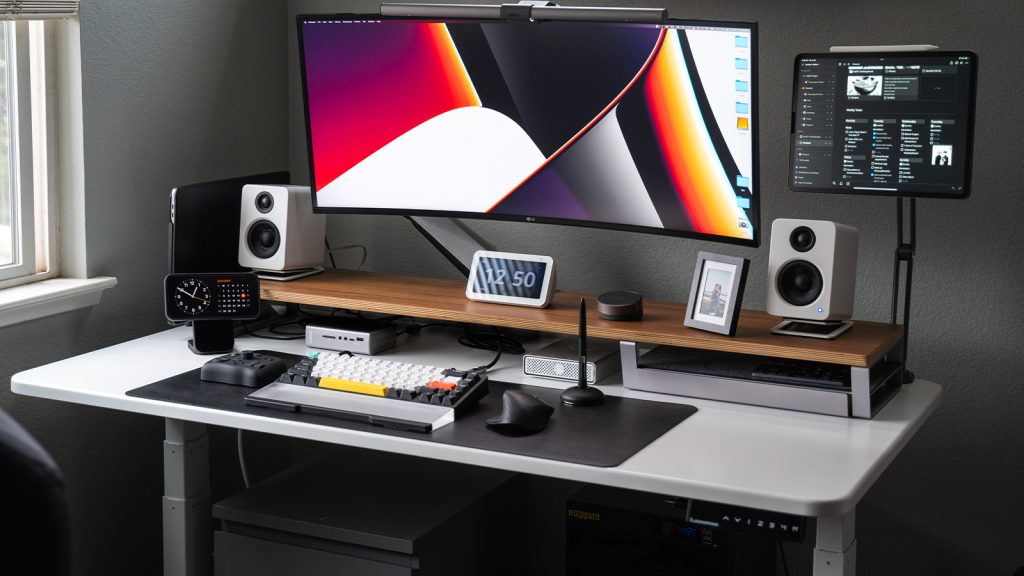
Wireless keyboards have become increasingly popular in recent years. These keyboards connect to computers without a cable, making them ideal for clean desk setups and portable work environments.
Wireless keyboards typically connect through Bluetooth or a small USB receiver that plugs into your computer.
Advantages of Wireless Keyboards
The biggest advantage of wireless keyboards is convenience. Without cables, they create a cleaner and more flexible workspace.
They are also easy to move between devices such as laptops, tablets, and desktop computers.
Wireless keyboards are ideal for people who prefer minimalist desk setups or work in multiple locations.
Benefits include
No cable clutter
Easy portability
Flexible placement on desks
Compatibility with many devices
Battery Life Improvements
Modern wireless keyboards are much more efficient than older models. Many can operate for several months or even a year on a single set of batteries.
Some models also include rechargeable batteries that can be charged using USB cables.
Because of these improvements, wireless keyboards are now a practical and affordable choice for many users.
Best Uses for Wireless Keyboards
Wireless keyboards are perfect for
Home office setups
Laptop users
Portable work environments
Minimalist desks
They provide convenience and flexibility while remaining affordable.
Cheap Gaming Keyboards
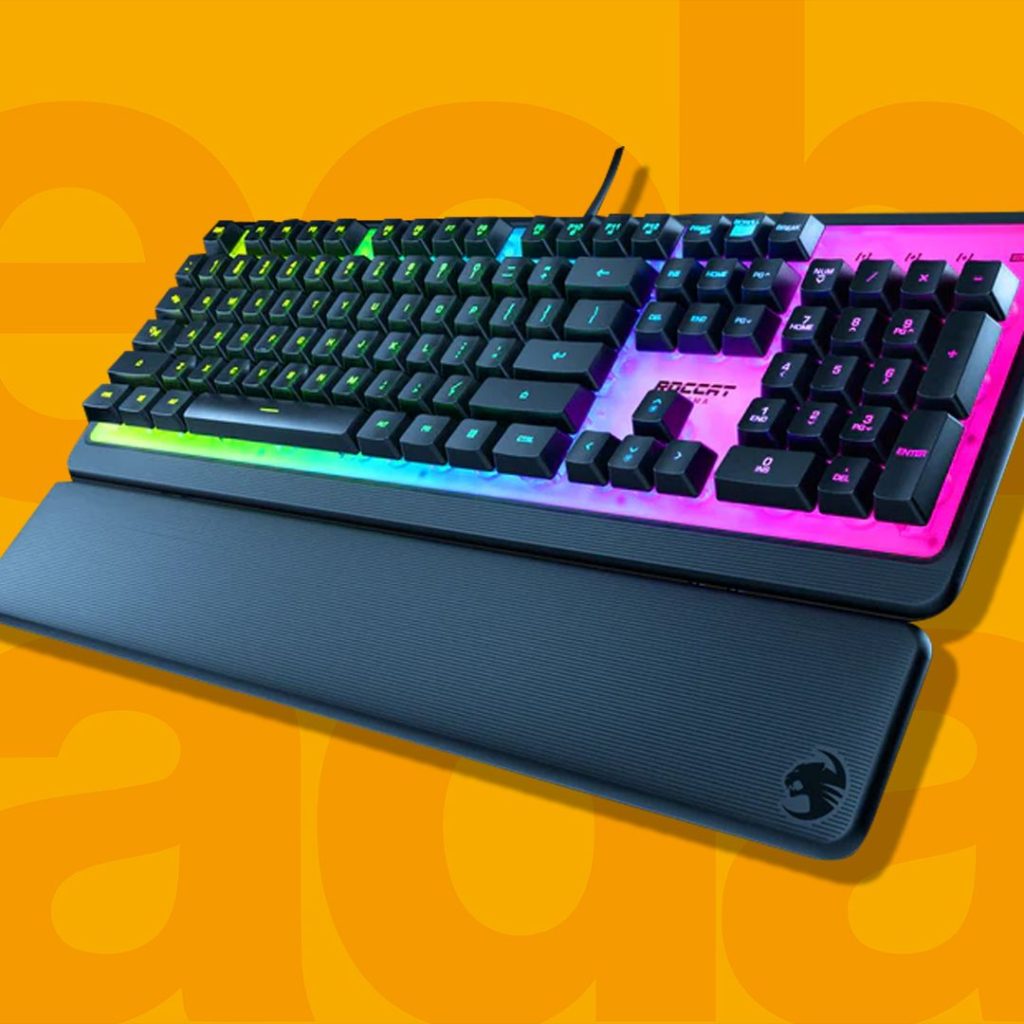
Gaming keyboards are designed specifically for fast response times and extended gaming sessions. While high end gaming keyboards can be very expensive, many budget options now provide excellent performance at much lower prices.
Common Features in Cheap Gaming Keyboards
Many cheap gaming keyboards include features that improve gameplay performance.
These features often include
Anti ghosting technology that registers multiple key presses at once
RGB lighting for customizable visual effects
Dedicated gaming keys
Durable mechanical style switches
Although they may not include every feature found in premium gaming keyboards, budget gaming models still provide strong value for casual and intermediate gamers.
Best Uses for Gaming Keyboards
Cheap gaming keyboards are best suited for
Casual gamers
Competitive online gaming
Gaming setups on a budget
Players who want RGB lighting without spending too much
Many budget gaming keyboards now deliver excellent responsiveness and durability, making them a popular choice among gamers who want performance without paying premium prices.
Best Cheap Keyboards in 2026 (Top Budget Picks)
Finding a cheap keyboard is easy. Finding one that is affordable and reliable is where many buyers struggle. The market is filled with budget keyboards, but not all of them offer good build quality, comfortable typing, or long-term durability.
Fortunately, several keyboards consistently stand out in the budget category. These models are widely available in the United States, have strong user reviews, and offer excellent value for their price.
The keyboards below provide a mix of wired, wireless, membrane, and mechanical options so readers can choose the model that fits their needs.
Logitech K120 Wired Keyboard
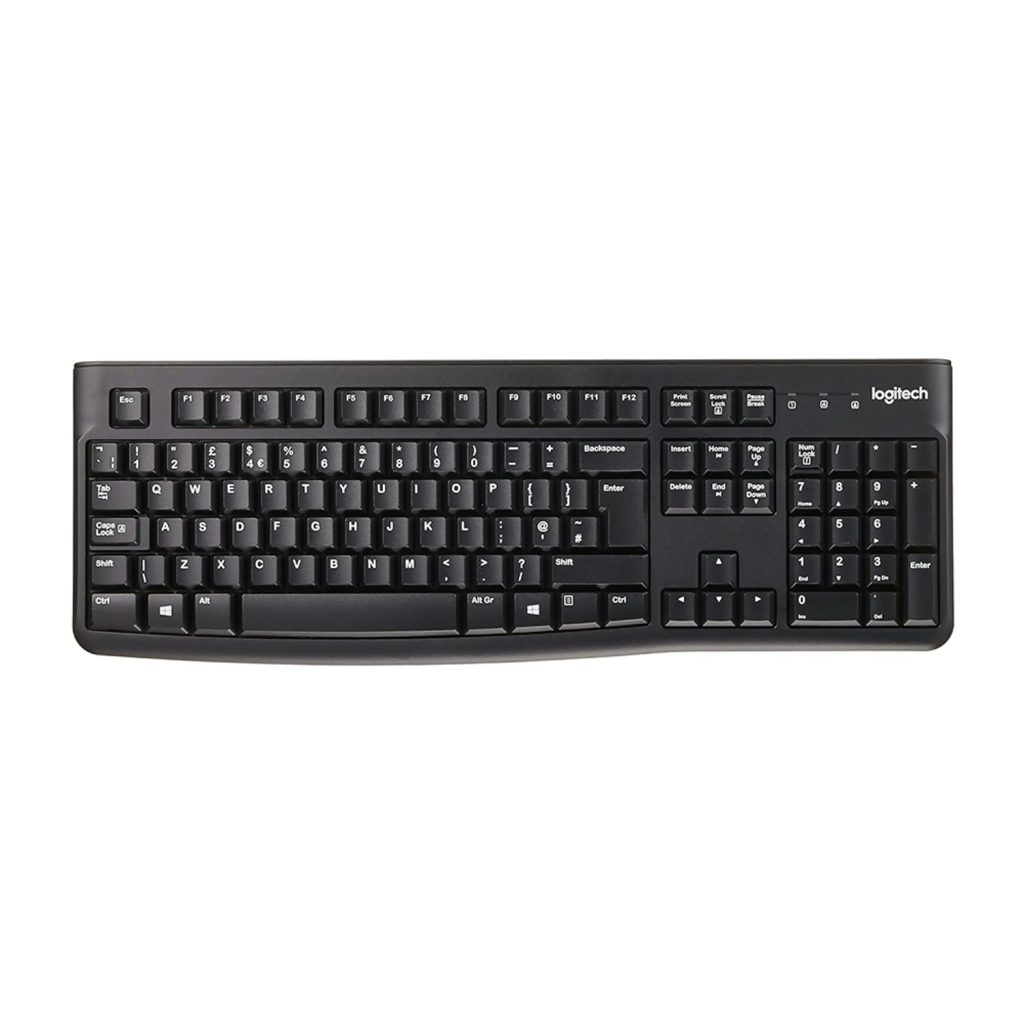
The Logitech K120 is one of the most widely recommended cheap keyboards available today. It has built a strong reputation for reliability, simple design, and comfortable typing.
Although it is a basic membrane keyboard, it performs extremely well for everyday tasks such as office work, school assignments, and home computing.
Key Features
Full size layout with number pad
Spill resistant design
Quiet membrane keys
USB plug and play connectivity
Durable build quality
Typical Price Range in the US
$10 to $15
Pros
Very affordable
Comfortable typing experience
Reliable brand reputation
Simple plug and play setup
Cons
No backlighting
Basic design without extra features
Best For
Office workers, students, and anyone who needs a simple and dependable keyboard for daily computer use.
Redragon K552 Mechanical Keyboard
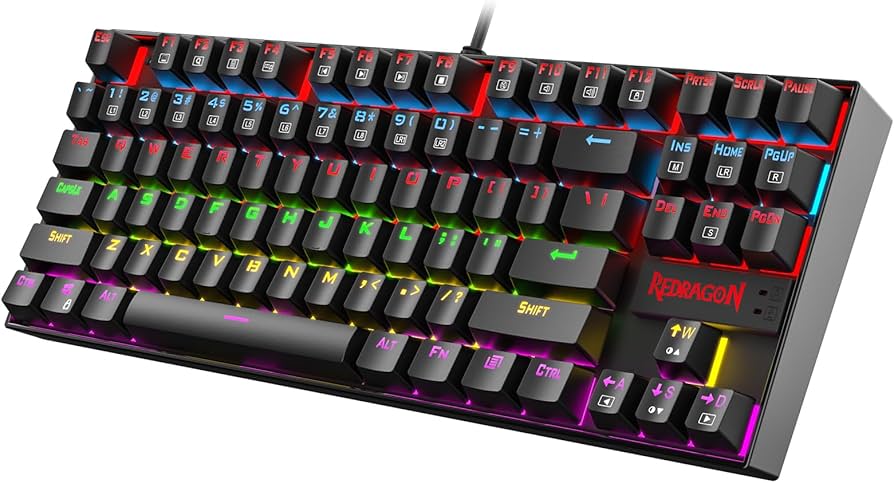
The Redragon K552 is one of the most popular cheap mechanical keyboards available today. It offers mechanical switches, a durable metal frame, and RGB lighting at a price far lower than most mechanical keyboards.
For gamers and typing enthusiasts on a budget, it is often considered one of the best value options.
Key Features
Mechanical switches
Rainbow RGB backlighting
Compact tenkeyless design
Metal and ABS construction
Anti ghosting technology
Typical Price Range in the US
$35 to $45
Pros
Mechanical typing experience
Durable metal frame
Great for gaming setups
Affordable compared to other mechanical keyboards
Cons
Louder than membrane keyboards
No dedicated number pad due to compact layout
Best For
Gamers, programmers, and users who want the feel of a mechanical keyboard without paying premium prices.
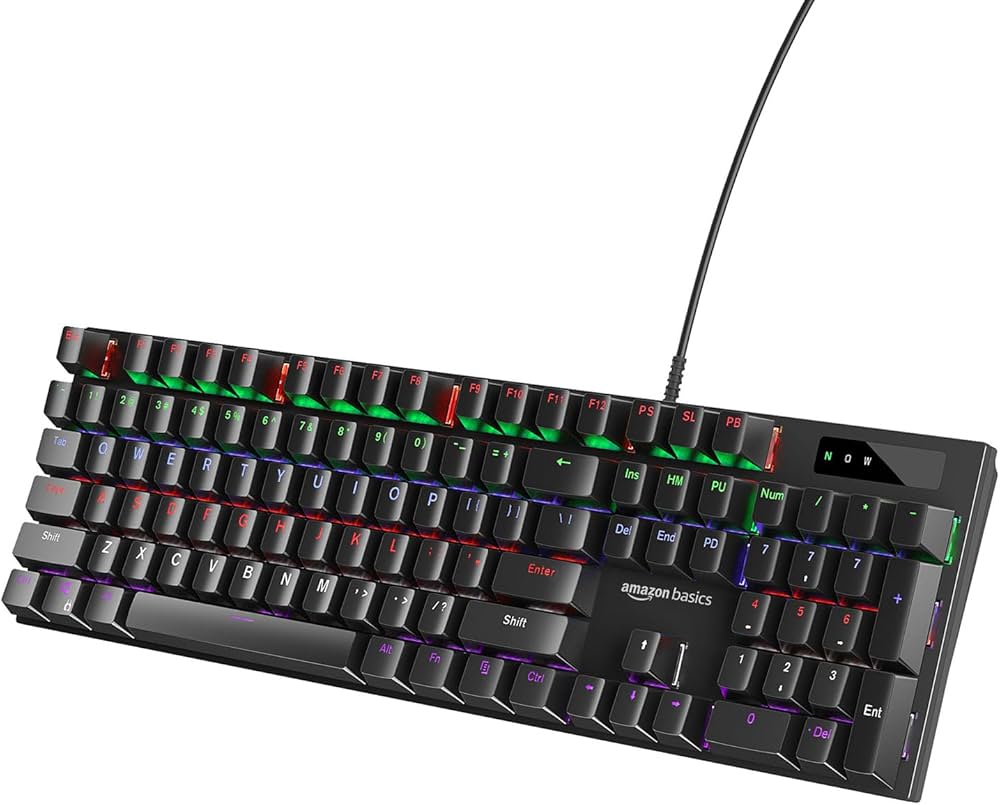
Amazon Basics Wired Keyboard
Amazon Basics products are known for offering simple and affordable everyday electronics. The Amazon Basics wired keyboard is designed for users who want a low cost keyboard that works reliably without unnecessary features.
It is a basic membrane keyboard that works well for general computer tasks.
Key Features
Full size layout with number pad
Quiet membrane keys
USB plug and play design
Lightweight construction
Typical Price Range in the US
$10 to $20
Pros
Very affordable
Simple and reliable design
Widely available online
Easy installation
Cons
Basic appearance
Limited advanced features
Best For
Users who need a simple keyboard for basic home computers or office tasks.
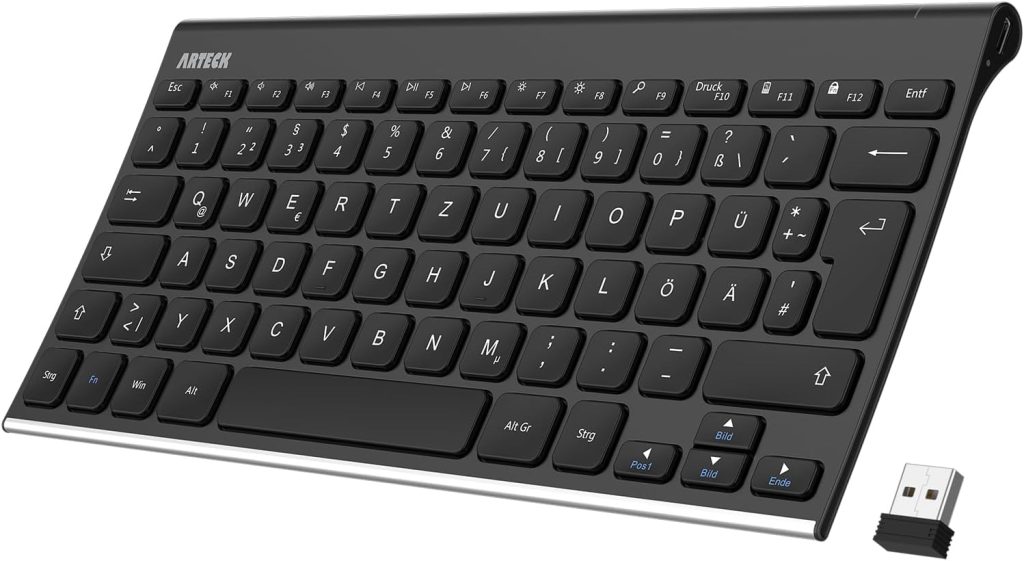
Arteck Wireless Keyboard
The Arteck Wireless Keyboard is a great choice for people who prefer a wireless workspace. It features a slim aluminum design and long battery life, making it ideal for home offices and laptop users.
Key Features
Wireless USB receiver connectivity
Ultra slim aluminum design
Full size keyboard layout
Long battery life
Rechargeable battery
Typical Price Range in the US
$20 to $30
Pros
Wireless convenience
Slim and modern design
Rechargeable battery
Quiet keys for office use
Cons
Not ideal for gaming
Limited customization options
Best For
Laptop users, home offices, and people who prefer a clean desk setup without cables.
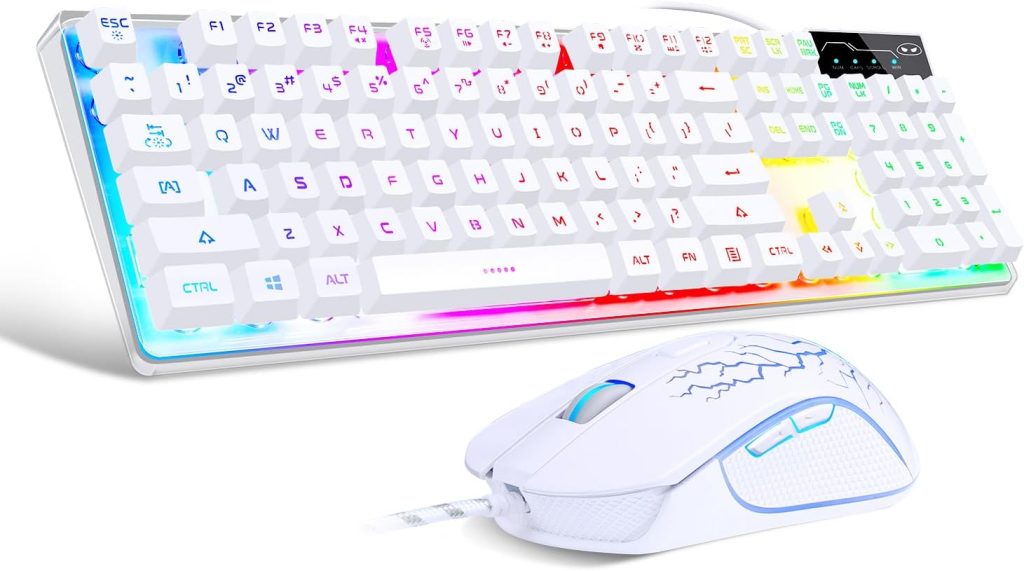
MageGee Mechanical Gaming Keyboard
The MageGee mechanical keyboard is another affordable option for gamers who want a mechanical typing experience without spending a lot of money.
It offers colorful backlighting and mechanical switches at a competitive price.
Key Features
Mechanical switches
Compact gaming design
Rainbow backlighting
Durable keycaps
Fast response time
Typical Price Range in the US
$30 to $40
Pros
Mechanical switches at an affordable price
Good gaming performance
Colorful backlighting
Compact layout
Cons
Smaller layout may require adjustment
Not as durable as premium mechanical keyboards
Best For
Gamers and budget buyers who want mechanical keyboard performance at a lower price.
These keyboards represent some of the best affordable options currently available in the United States. Each model offers a balance of price, reliability, and useful features for different types of users.
Some are better suited for office work, while others are designed with gamers in mind. The right choice depends on how you plan to use your keyboard.
Best Cheap Keyboards by Category
Not every user needs the same type of keyboard. A gamer may prioritize fast response times and mechanical switches, while an office worker might prefer quiet typing and comfort during long work hours. Laptop users often want wireless portability, while students may simply need a reliable keyboard that fits a tight budget.
Because of these differences, the best cheap keyboard depends heavily on how you plan to use it. Below are some of the best budget keyboards categorized by specific needs, helping you quickly identify the right option.
Best Cheap Mechanical Keyboard
Mechanical keyboards provide a more satisfying typing experience than membrane keyboards because each key uses an individual switch. This design improves responsiveness and durability, which is why mechanical keyboards are popular among gamers, programmers, and heavy typists.
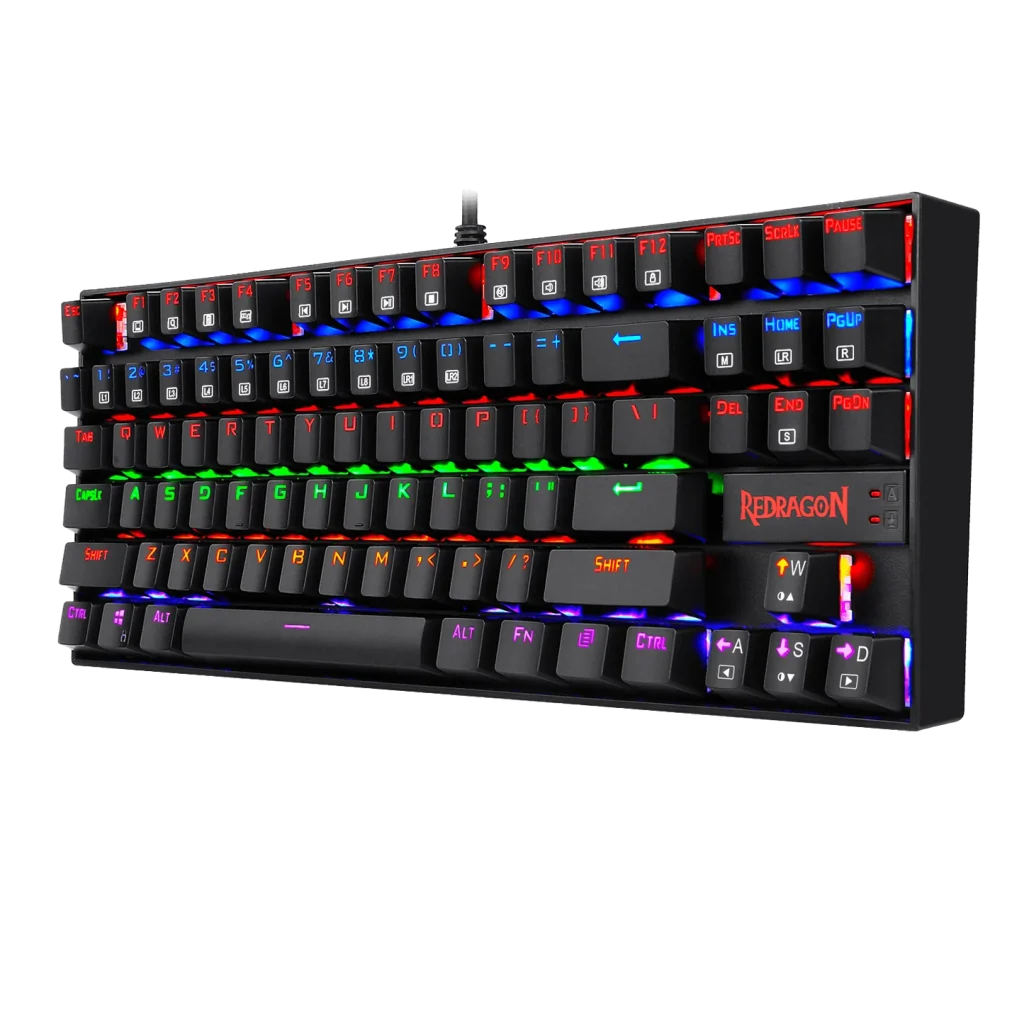
Among budget options, the Redragon K552 continues to stand out as one of the best cheap mechanical keyboards available.
Why it stands out
Durable metal construction
Mechanical switches for better feedback
Compact design suitable for gaming setups
Affordable price compared to other mechanical keyboards
Typical Price in the US
$35 to $45
Best For
Gamers, programmers, writers, and users who type frequently and want a responsive keyboard without spending too much.
Best Cheap Wireless Keyboard
Wireless keyboards are perfect for clean desk setups and portable work environments. Without cables, they allow more flexibility and make it easier to move your keyboard between devices.
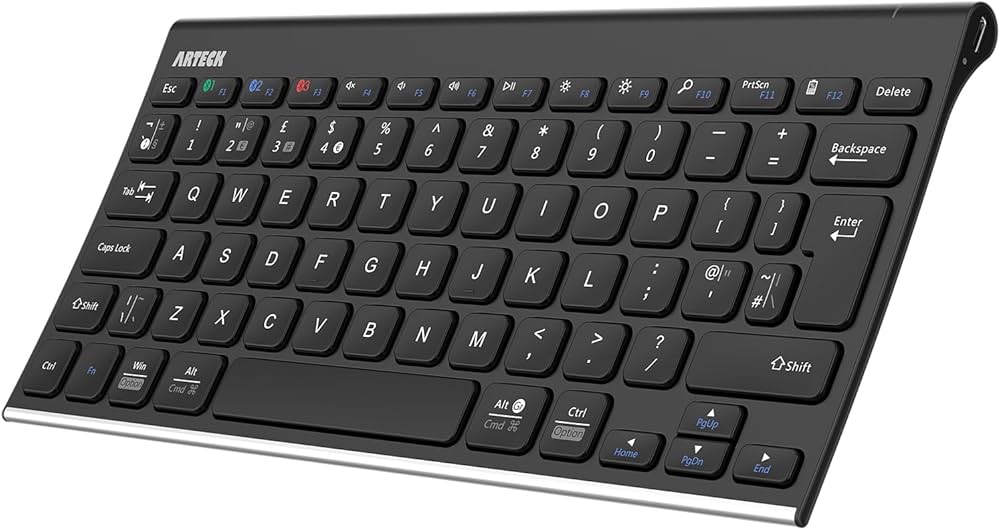
One of the best cheap wireless keyboards currently available is the Arteck Wireless Keyboard.
Why it stands out
Slim aluminum design
Long battery life
Full size keyboard layout
Stable wireless connection
Typical Price in the US
$20 to $30
Best For
Laptop users, home offices, and people who prefer a minimalist workspace without cables.
Best Cheap Keyboard for Gaming
Gaming keyboards are designed to handle rapid inputs and long gaming sessions. While premium gaming keyboards can be expensive, several budget options now provide strong gaming performance.
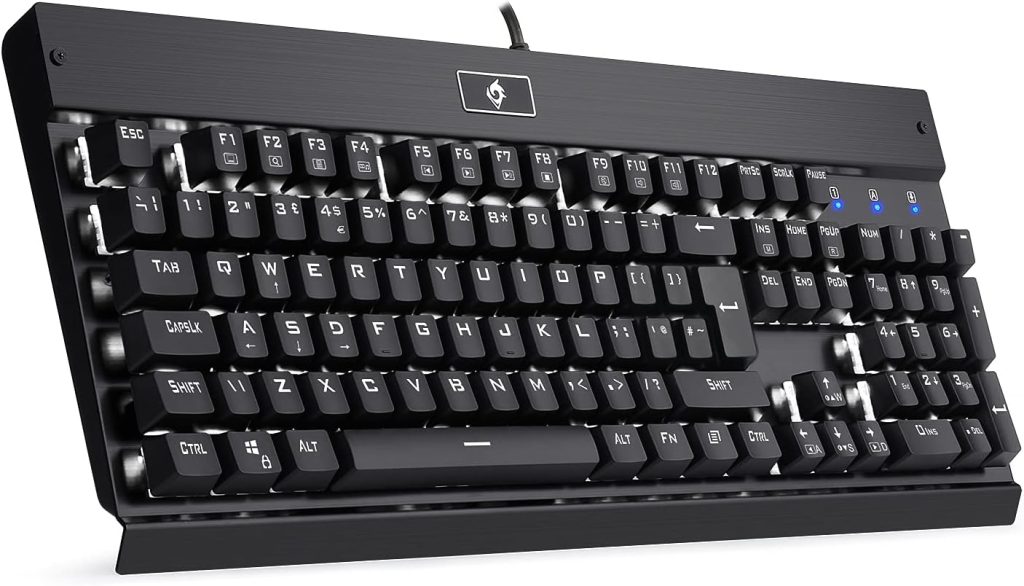
The Eagletec KG010 is widely recognized as one of the best cheap gaming keyboards.
Why it stands out
Mechanical switches for fast response
Backlit keys for gaming in low light
Durable metal construction
Full size layout for gaming and productivity
Typical Price in the US
$40 to $50
Best For
Gamers who want mechanical performance and backlighting without spending over $100.
Best Cheap Keyboard for Office Work
Office keyboards should prioritize comfort, quiet typing, and reliability. Many office workers type for hours each day, so a comfortable and consistent keyboard is essential.
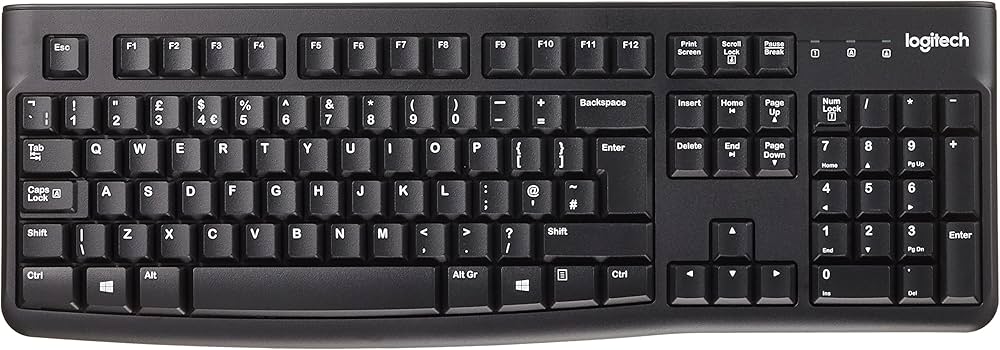
The Logitech K120 remains one of the most reliable cheap keyboards for office use.
Why it stands out
Comfortable and quiet membrane keys
Durable design
Full size layout with number pad
Reliable performance for daily office work
Typical Price in the US
$10 to $15
Best For
Office workers, students, remote workers, and anyone who needs a dependable keyboard for writing, spreadsheets, and everyday tasks.
Where to Buy Cheap Keyboards in the United States
Finding a cheap keyboard is not just about choosing the right model. It is also about knowing where to buy it. Prices can vary widely depending on the retailer, seasonal sales, and online promotions. Some stores offer frequent discounts on computer accessories, while others provide bundle deals that can save buyers even more money.
In the United States, both online retailers and physical electronics stores offer a wide range of budget keyboards. Many shoppers prefer online shopping because it allows them to compare prices quickly, read customer reviews, and find deals that may not be available in local stores. However, visiting a physical store can also be helpful for buyers who want to see and test a keyboard before purchasing.
Below are some of the most reliable places where consumers can find cheap keyboards in the US.
Amazon
Amazon is one of the largest online marketplaces for computer accessories. It offers an enormous selection of keyboards ranging from extremely cheap basic models to more advanced mechanical keyboards.
One of the biggest advantages of shopping on Amazon is the ability to compare multiple brands and read thousands of customer reviews before making a purchase. Many sellers also offer regular discounts, lightning deals, and bundle offers that can reduce the price even further.
Benefits of buying keyboards from Amazon include
Large selection of brands and models
Frequent discounts and promotions
Customer reviews that help buyers evaluate quality
Fast shipping options across the United States
Amazon is often the first place many buyers check when searching for cheap keyboards online.
Walmart
Walmart is another excellent place to find affordable keyboards. The retailer sells a variety of budget electronics both in physical stores and online.
Walmart frequently offers low prices on entry level keyboards from well known brands. Shoppers can also benefit from in store pickup, which allows them to order online and collect the product at a nearby store.
Advantages of buying keyboards at Walmart include
Competitive prices on budget electronics
Convenient in store pickup options
Availability of well known brands
Regular seasonal discounts
For shoppers who prefer seeing products in person before buying, Walmart can be a convenient option.
Best Buy
Best Buy specializes in electronics and computer accessories, making it another strong option for buying keyboards. While some premium models can be expensive, Best Buy also carries many budget keyboards from brands such as Logitech and other manufacturers.
One advantage of shopping at Best Buy is the opportunity to test display keyboards in store. This allows buyers to experience the typing feel before purchasing.
Benefits include
Wide selection of electronics
In store keyboard displays for testing
Frequent sales events on computer accessories
Knowledgeable staff who can provide recommendations
Best Buy is especially helpful for buyers who want to compare multiple keyboards side by side.
Target
Target also sells a variety of computer accessories, including affordable keyboards. While its selection may be smaller than some electronics focused retailers, Target often offers competitive prices on basic keyboards suitable for home and office use.
Target occasionally runs promotions or clearance sales that allow shoppers to purchase keyboards at significantly reduced prices.
Advantages of buying keyboards at Target include
Convenient store locations across the United States
Affordable prices on basic electronics
Occasional promotions and clearance deals
Micro Center
Micro Center is well known among technology enthusiasts for its wide selection of computer hardware and accessories. Although not available in every state, Micro Center stores often carry excellent deals on budget keyboards.
Many shoppers appreciate Micro Center because it frequently offers discounts on mechanical keyboards and gaming accessories that may cost more at other retailers.
Benefits include
Large selection of computer peripherals
Frequent discounts on mechanical keyboards
Strong reputation among technology enthusiasts
Office Supply Stores
Stores such as Office Depot and Staples also sell inexpensive keyboards designed primarily for office use. These keyboards are usually simple membrane models that focus on reliability and quiet typing.
Office supply stores often offer deals for students, businesses, and remote workers who need affordable equipment for productivity.
Common advantages include
Reliable office keyboards
Business discounts and promotions
Convenient availability for office supplies
Tips for Finding the Best Deals
Even when buying a cheap keyboard, it is still possible to save more money by shopping strategically.
Some helpful tips include
Check seasonal sales such as Black Friday, Cyber Monday, and back to school promotions
Compare prices across multiple retailers before purchasing
Look for bundle deals that include keyboards and mice
Read customer reviews to avoid poorly made products
By combining the right retailer with smart shopping strategies, buyers can often find high quality keyboards at surprisingly low prices.
Price Comparison Table for Cheap Keyboards
When shopping for cheap keyboards, comparing several models side by side can make the decision much easier. Many keyboards may look similar at first glance, but they differ in typing experience, connectivity, build quality, and price.
A comparison table allows buyers to quickly scan important details such as keyboard type, price range, and best use case. This helps readers narrow down their options without needing to read every product description in detail.
The following table highlights some of the most popular budget keyboards available in the United States.
| Keyboard Model | Typical Price Range (US) | Keyboard Type | Best For |
|---|---|---|---|
| Logitech K120 | $10 to $15 | Membrane | Office work and everyday typing |
| Redragon K552 | $35 to $45 | Mechanical | Gaming and fast typing |
| Amazon Basics Wired Keyboard | $10 to $20 | Membrane | Basic home computer use |
| Arteck Wireless Keyboard | $20 to $30 | Wireless membrane | Portable and wireless setups |
| MageGee Mechanical Keyboard | $30 to $40 | Mechanical | Budget gaming setups |
| Eagletec KG010 | $40 to $50 | Mechanical | Gaming and heavy typing |
| Rii RK100 | $15 to $25 | Wireless compact | Travel and small desks |
| HP K1500 Keyboard | $10 to $18 | Membrane | Office environments |
What This Comparison Shows
A quick look at the table reveals an important trend. Cheap keyboards now cover a wide range of needs. Some are extremely affordable basic models designed for office work, while others provide gaming features and mechanical switches at slightly higher prices.
For example, the Logitech K120 and Amazon Basics keyboards are among the cheapest options available. They focus on simple reliability and quiet typing, which makes them ideal for offices and everyday computer use.
Mechanical keyboards such as the Redragon K552 and MageGee models cost more but offer improved typing feedback and durability. These keyboards are especially popular among gamers and people who type frequently.
Wireless keyboards like the Arteck model offer the added convenience of cable free setups, making them perfect for laptop users or minimalist desk environments.
Understanding these differences can help buyers choose a keyboard that matches both their budget and their usage needs.
Balancing Price and Features
One of the biggest mistakes buyers make when shopping for cheap keyboards is focusing only on price. While saving money is important, choosing a keyboard that feels comfortable and durable can make a huge difference in everyday use.
For instance, someone who spends hours typing every day may benefit from a slightly more expensive mechanical keyboard. The improved key feedback and durability could make typing more comfortable over time.
On the other hand, casual users who only type occasionally may find that a simple membrane keyboard works perfectly well.
The key is finding the right balance between affordability and usability.
How to Choose the Best Cheap Keyboard
Buying a cheap keyboard might seem straightforward, but choosing the right one requires a little thought. Many keyboards may look similar online, yet the typing experience, durability, and comfort can vary significantly.
A keyboard is one of the most frequently used computer accessories. Whether you are writing emails, working on spreadsheets, coding, or gaming, you interact with it constantly. Choosing a keyboard that feels comfortable and reliable can improve productivity and reduce frustration.
When shopping for cheap keyboards in the United States, there are several key factors that buyers should consider before making a purchase.
Build Quality and Durability
Even when buying a budget keyboard, build quality matters. A poorly built keyboard may feel flimsy, develop unresponsive keys, or stop working after a short period of use.
A good cheap keyboard should have a solid plastic or metal frame that does not flex easily when typing. The keys should feel stable and evenly spaced, and the keyboard should stay firmly in place on the desk.
Some affordable keyboards also include spill resistant designs. These designs help protect the keyboard from accidental liquid spills, which can extend the lifespan of the device.
Key things to check
Strong frame construction
Stable keys that do not wobble excessively
Good reviews regarding long term reliability
Key Switch Type
The type of switch used in a keyboard has a major impact on the typing experience. The two main switch types found in cheap keyboards are membrane and mechanical switches.
Membrane keyboards use a soft pressure pad system and typically produce quieter keystrokes. They are usually cheaper and lighter, making them ideal for office environments or casual computer use.
Mechanical keyboards use individual switches under each key. These switches create stronger tactile feedback and tend to last longer. Mechanical keyboards are often preferred by gamers and people who type for long periods.
Understanding the switch type will help buyers choose the keyboard that feels most comfortable for their typing style.

Comfort and Ergonomics
Comfort is extremely important when selecting a keyboard, especially for users who spend many hours typing.
A comfortable keyboard should provide adequate key spacing and a natural typing position. Low profile keys can make typing smoother and reduce finger fatigue during long sessions.
Some keyboards also include slightly curved key layouts or adjustable feet that allow users to change the typing angle.
Features that improve comfort
Ergonomic key spacing
Adjustable keyboard angle
Soft and responsive keys
Choosing a keyboard that feels comfortable can help prevent strain during long work sessions.
Noise Level
Noise level is another factor that many buyers overlook. Some keyboards are much louder than others.
Mechanical keyboards, especially those with clicky switches, can produce noticeable typing sounds. While some users enjoy this tactile feedback, it may not be suitable for shared workspaces or quiet environments.
Membrane keyboards are usually much quieter, making them better suited for offices, libraries, or classrooms.
Buyers should consider where the keyboard will be used before deciding which type is best.
Wired vs Wireless Connectivity
Cheap keyboards are available in both wired and wireless designs. Each option has its advantages.
Wired keyboards connect directly to the computer using a USB cable. They are simple, reliable, and do not require batteries. Many gamers prefer wired keyboards because they provide consistent performance.
Wireless keyboards connect through Bluetooth or a small USB receiver. They provide a cleaner desk setup and allow more flexibility when positioning the keyboard.
The choice between wired and wireless depends on the user’s workspace and preferences.
Size and Layout
Keyboards come in several different sizes. The most common layout is the full size keyboard, which includes a number pad on the right side.
However, some users prefer smaller keyboards that take up less desk space.
Common keyboard sizes include
Full size keyboards with number pads
Tenkeyless keyboards that remove the number pad
Compact keyboards designed for portability
Gamers often choose tenkeyless keyboards because they provide more room for mouse movement. Office workers and accountants usually prefer full size keyboards because they rely on the number pad for data entry.
Choosing the right layout depends on how the keyboard will be used.
Extra Features
Some cheap keyboards include additional features that can improve convenience or aesthetics.
These features may include
Backlighting for typing in low light
Media control keys for adjusting volume and music
Anti ghosting technology for gaming
Wireless rechargeable batteries
While these features are not always necessary, they can add value depending on the user’s needs.
How to Extend the Lifespan of Cheap Keyboards
Buying a cheap keyboard doesn’t mean it has to wear out quickly. With a few careful habits and maintenance tips, even budget keyboards can last for years. Many users assume inexpensive keyboards are disposable, but proper care can dramatically improve durability and comfort.
Whether you use a membrane, mechanical, or wireless keyboard, these strategies help protect your investment.
Keep Your Keyboard Clean
One of the most common reasons keyboards fail prematurely is dirt, dust, and debris. Crumbs, hair, and dust can accumulate between keys, affecting typing performance and key response.
Simple cleaning routines can prevent these issues:
- Regular Surface Cleaning: Use a microfiber cloth to wipe down the keys and surface weekly.
- Compressed Air: Blow out dust and debris from between keys using a can of compressed air.
- Deep Cleaning: Occasionally remove keycaps (if your keyboard allows it) and clean underneath using a soft brush or damp cloth.
Keeping your keyboard clean prevents sticky keys, unresponsive switches, and unpleasant odors over time.
Avoid Spills and Liquids
Spills are one of the fastest ways to damage a cheap keyboard. Even keyboards labeled as “spill-resistant” can suffer permanent damage from liquids.
Tips to prevent damage:
- Keep drinks away from your keyboard
- Use a keyboard cover if you often eat or drink at your desk
- Immediately disconnect and clean any spills to reduce long-term harm
Mechanical keyboards are generally more resilient than membrane keyboards, but avoiding liquids is always safer.
Use Proper Typing Technique
Typing habits can influence the longevity of your keyboard. Pressing keys with excessive force or hitting them repeatedly at odd angles can wear out switches and keycaps.
To reduce stress on your keyboard:
- Type with light, consistent pressure
- Avoid hammering keys during long gaming or typing sessions
- Keep hands and wrists relaxed to reduce strain
Good typing habits not only prolong your keyboard’s life but also reduce fatigue and the risk of repetitive strain injuries.
Protect Your Keyboard from Dusty or Sunny Environments
Excessive exposure to dust, sunlight, or humidity can degrade keyboard materials. Prolonged sunlight may fade key lettering, while dust accumulation can impact key performance.
Best practices:
- Store your keyboard in a clean, dry area
- Avoid leaving it near windows with direct sunlight
- Cover the keyboard when not in use, especially in dusty environments
Regularly Check for Loose or Sticking Keys
Over time, cheap keyboards may develop loose or sticking keys. Early detection can prevent further damage.
- Test keys regularly to ensure they respond correctly
- Adjust or re-seat keycaps if they feel loose
- For mechanical keyboards, lubricating switches (if supported) can improve performance
Regular maintenance keeps even budget keyboards feeling more like premium models.
Avoid Excessive Drops or Pressure
Cheap keyboards are often made of lighter plastic, which can crack or break if dropped. To protect your keyboard:
- Avoid stacking heavy items on top of it
- Handle it carefully during transport or setup
- Consider a soft mat or protective surface to reduce accidental impact
Even inexpensive keyboards last longer when treated gently.
Frequently Asked Questions (FAQ) About Cheap Keyboards
Buying a cheap keyboard often raises questions about durability, performance, and usability. Below are answers to the most common concerns, helping readers make confident decisions before purchasing a budget keyboard.
Q: Are cheap keyboards reliable?
A: Yes, many cheap keyboards are reliable, especially those from well-known brands such as Logitech, Redragon, or Amazon Basics. Reliability depends on the build quality, switch type, and how the keyboard is used and maintained. Even inexpensive keyboards can last several years with proper care.
Q: Do cheap keyboards work well for gaming?
A: Many budget keyboards are designed for gaming. Mechanical switches in models like Redragon K552 or MageGee keyboards offer fast response times and durability, making them suitable for gaming. Some budget gaming keyboards also include anti ghosting and backlighting features. While they may lack the premium features of high-end models, they provide excellent performance for casual and intermediate gamers.
Q: Are membrane keyboards comfortable for long typing sessions?
A: Membrane keyboards can be comfortable if they have well-spaced keys and a stable base. They are generally quieter than mechanical keyboards, which makes them suitable for offices or shared workspaces. However, heavy typists may prefer mechanical switches for better tactile feedback and reduced finger fatigue over long sessions.
Q: Are wireless keyboards worth it if they are cheap?
A: Yes, budget wireless keyboards, such as the Arteck Wireless Keyboard, are convenient and reliable for everyday use. Modern wireless technology allows for consistent connectivity and long battery life. They are especially useful for laptop users or minimalist desk setups. Just make sure to check user reviews to ensure there are no connectivity issues.
Q: Can cheap keyboards last as long as expensive ones?
A: While premium keyboards often use higher quality materials and switches, many cheap keyboards are surprisingly durable. Proper care, such as keeping them clean, avoiding spills, and using light typing pressure, can extend their lifespan. Some budget mechanical keyboards can last 3–5 years or more.
Q: Should I buy a mechanical or membrane keyboard if I’m on a budget?
A: It depends on your use case. Membrane keyboards are quieter, lighter, and ideal for casual typing or office work. Mechanical keyboards, even cheap ones, provide tactile feedback, durability, and faster response times, which is preferable for gamers or heavy typists. Your choice should reflect how you plan to use the keyboard daily.
Q: Are cheap keyboards compatible with all computers?
A: Most cheap keyboards, whether wired or wireless, are plug-and-play. Wired USB keyboards typically work with Windows, Mac, and Linux systems. Wireless keyboards using Bluetooth or USB receivers are also widely compatible. Always check the product description for specific compatibility notes, especially if you are using an Apple device or specialized operating system.
Q: How can I ensure I’m buying a good cheap keyboard?
A: To make a smart purchase:
- Stick to reputable brands known for quality budget keyboards
- Read customer reviews and ratings
- Compare features such as switch type, backlighting, and build quality
- Consider where the keyboard will be used (office, gaming, portable)
- Look for warranty or return options in case of defects
By considering these factors, buyers can confidently select a budget keyboard that meets their needs without wasting money.
Conclusion on Buying Cheap Keyboards
Buying a cheap keyboard doesn’t have to mean sacrificing quality, comfort, or durability. With the right knowledge and careful selection, budget keyboards can provide excellent performance for gaming, office work, and everyday computer use.
Throughout this guide, we’ve covered everything from understanding the types of keyboards available, to reviewing top budget models, to tips for maintaining and extending their lifespan. Here’s a concise recap and some actionable steps to help you make the best purchase:
Key Takeaways
- Cheap doesn’t mean low quality: Modern budget keyboards are more reliable and feature-rich than ever. Brands like Logitech, Redragon, and Arteck offer options that last years.
- Choose the right type for your needs:
- Membrane keyboards: Quiet, affordable, ideal for office or casual use.
- Mechanical keyboards: Durable, tactile, perfect for gamers and heavy typists.
- Wireless keyboards: Clean, portable setups, convenient for laptops and home offices.
- Consider ergonomics and comfort: Look for proper key spacing, adjustable angles, and low-profile keys to reduce fatigue.
- Pay attention to build quality: Solid plastic or metal frames, stable keys, and spill resistance make even cheap keyboards last longer.
- Smart shopping saves money: Buy from reputable retailers like Amazon, Walmart, Best Buy, Target, or Micro Center. Watch for seasonal discounts and compare prices.
- Maintenance matters: Keep your keyboard clean, avoid spills, use proper typing technique, and store it in a dry environment to extend its lifespan.
-
Quick Tips for Budget Keyboard Buyers
- Prioritize typing comfort over aesthetics if you type a lot.
- Mechanical switches provide a more satisfying experience but may be louder.
- Wireless keyboards are convenient, but ensure reliable connectivity and long battery life.
- Read user reviews and watch video demos to evaluate keyboard feel and build quality.
- Balance price and features; sometimes spending a few extra dollars gives a much better experience.
- Now that you know how to select, maintain, and maximize the value of a cheap keyboard, it’s time to take action:
- Comment below with your favorite budget keyboard and why it works for you.
- Share your experience with cheap mechanical vs. membrane keyboards.
- Explore the retailers and deals we highlighted to find the best deal in your area.
Even on a tight budget, you can enjoy a reliable, comfortable, and enjoyable typing experience. The right cheap keyboard can serve you just as well as a premium model if chosen wisely.
