

Imagine this: You’re scrolling through online PC stores, and every gaming rig screams thousands of dollars. Your heart sinks, because you just want to play Minecraft, CS:GO, or some classic retro gems without breaking the bank. The fear of wasting money on a PC that can’t even run your favorite games is real and frustrating. But what if I told you that you can actually get a cheap gaming PC under $100 that performs surprisingly well? Yes, under a hundred dollars, no scams, no empty promises, just smart budgeting and clever strategies.
Promise:
This guide is 100% human-focused, not a robotic list of “cheap PCs.” By the end of this post, you’ll know:
-
How to buy or build a gaming PC under $100 in the US.
-
The smartest refurbished and DIY options that won’t leave you frustrated.
-
How to maximize performance on a tight budget without stress.
-
Where to get the best deals and avoid scams.
Whether you’re a beginner gamer, a student, or simply someone who wants to enjoy PC gaming without emptying your wallet, this guide has you covered.
The Harsh Reality: Is a Gaming PC Under $100 Truly Possible in 2026?
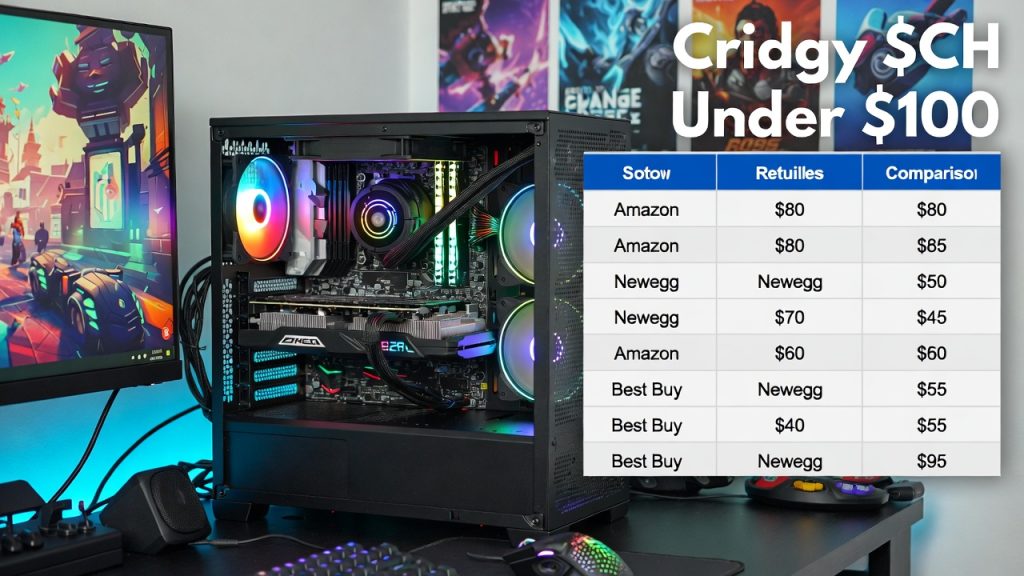
New components make a sub-$100 gaming PC impossible in 2026. Here’s a quick breakdown of minimum new-part prices right now:
- CPU (something usable like Intel Core i3 12th/13th gen) → $80–$120
- Motherboard → $60–$90
- 8 GB DDR4 RAM (you need at least this) → $25–$40
- Cheap case + 400W PSU → $40–$60
- Storage (256 GB SSD) → $18–$30
- Low-end GPU (GT 1030 level) → $90–$150 used/new
Even the most stripped-down new build lands around $300–$400 before you add Windows or peripherals. That’s why almost every “budget gaming PC” article you see starts at $400–$600.
The only realistic path under $100 is buying used or surplus business PCs (Dell OptiPlex, HP EliteDesk, Lenovo ThinkCentre) and adding minimal upgrades. These machines were built for offices in the 2010s–early 2020s, so they’re everywhere on the secondhand market, often with surprisingly capable quad-core CPUs from the Haswell or Ivy Bridge era (3rd–4th gen Intel).
What “Gaming” Actually Means at This Price Point
At $100 you’re not getting modern AAA gaming. You’re getting:
- Esports titles (Valorant, CS2, League of Legends, Rocket League, Fortnite competitive mode) at 60–120 fps on low settings 1080p or 720p
- Older single-player games (GTA V, Skyrim, Witcher 3, Fallout 4) at low–medium 720p–1080p 30–60 fps
- Indie games, Roblox, Minecraft (even with light shaders), emulators up to PS2/GameCube level
This performance level beats or matches a used Xbox One / PS4 in many cases, especially with mouse + keyboard advantage. It also gives you access to free-to-play games, Game Pass PC cloud streaming (if you have decent internet), and thousands of Steam sales titles under $10.
The bottleneck at this price is almost always the graphics card. Most office PCs come with integrated graphics (Intel HD 4600 or similar), which can run very light games but struggle badly beyond 2015 titles. Adding even a $20–$40 used low-profile GPU changes everything.
How to Hunt for Parts & Build a Cheap Gaming PC Under $100 (Step-by-Step)
-
Find a base system ($40–$80) Search for:
- Dell OptiPlex 7010, 9010, 9020
- HP ProDesk / EliteDesk 800 G1/G2
- Lenovo ThinkCentre M series (M83, M93p, etc.) Look for ones with at least an i5-3xxx/4xxx series CPU and 8 GB RAM already installed. Many come with 240–500 GB HDDs you can later swap.
Best US sources right now (March 2026):
- eBay (filter “US only”, sort by “Buy It Now” + lowest price + good seller feedback)
- Facebook Marketplace (search your city + 50 mile radius)
- Craigslist
- OfferUp
- Local thrift stores, Goodwill computer sections, Habitat for Humanity ReStores
-
Add a cheap discrete GPU ($20–$50 used) Top realistic options that fit low-profile office cases and don’t need extra power connectors:
- NVIDIA GT 1030 (GDDR5 version)
- AMD RX 550 / RX 560 low-profile
- Older GTX 750 Ti / GTX 1050 (if case allows)
-
Upgrade RAM if needed ($10–$20) Most business PCs use DDR3. 16 GB (2×8 GB) kits are dirt cheap used.
-
Add an SSD if it only has HDD ($15–$25 used 240–500 GB) Dramatically improves load times and Windows snappiness.
-
Software side
- Download Windows 10/11 ISO from Microsoft (free), install with generic key or buy cheap OEM key (~$10–$20)
- Update drivers from manufacturer site or use Snappy Driver Installer
Safety tips: Buy from sellers with high feedback, use PayPal Goods & Services, test on pickup. Avoid scams by not wiring money.
Realistic Sample Builds Under $100 (2026 Examples)
Build 1: Basic Esports Focus (~$70–$95)
- Base: Used Dell OptiPlex 7010 i5-3470 or similar (~$50 eBay/local)
- GPU: Used GT 1030 GDDR5 (~$30–$40)
- RAM: Add to 16GB DDR3 (~$15)
- Total ~$95. Runs Valorant 100+ fps low, League 120+ fps, Minecraft smooth.
Build 2: Slightly Stronger (~$80–$110, slight stretch)
- Base: HP EliteDesk 800 G1 i7-4770 (~$60)
- GPU: Used RX 560 low-profile or GTX 1050 (~$40–$50)
- SSD add-on if needed. GTA V low 50–60 fps 1080p, Fortnite 70+ fps competitive.
Prices fluctuate; check daily. Luck plays a role in deals.
Performance in Real Games (2026 Benchmarks)
From recent similar setups (i5-4xxx + low-end GPU):
- Valorant: Low 1080p: 90–150 fps
- Fortnite: Competitive/low 1080p, 60–100 fps
- GTA V: Low-medium 1080p, 40–60 fps
- League of Legends: Medium 1080p, 100+ fps
- Minecraft: Medium: 80–120 fps (light shaders ok)
- The Witcher 3: Low 720p, 30–50 fps
These are averages from user reports and videos. Esports titles shine; heavier games need resolution drops.
Best Places to Buy Parts & Full Systems in the US (2026)
When building a cheap gaming PC under $100, your success hinges on the used and refurbished market. New parts from big retailers like Amazon or Best Buy will blow your budget instantly, but platforms flooded with surplus office hardware; think ex-corporate Dell OptiPlex towers, HP EliteDesks, and Lenovo ThinkCentres keep costs low. These machines often come with solid quad-core i5 or i7 CPUs from the 2010s that punch above their weight for esports and older games after a simple GPU swap.
In early 2026, prices remain favorable due to ongoing corporate upgrades to AI-ready hardware, dumping older systems cheap. Expect base systems for $40–$80, low-profile GPUs like GT 1030 or RX 550 for $20–$60, and RAM/SSDs under $25. Here’s a deep dive into the top spots, with pros, cons, search strategies, regional tips, and real current examples. Focus on US-only sellers to avoid import fees.
1. eBay: The King of Used PC Deals
eBay dominates for nationwide shipping and variety, with thousands of listings for exact models like Dell OptiPlex 7010/9020 or HP EliteDesk 800 G1. Filter for “US Only,” “Buy It Now,” and sellers with 98%+ feedback and 1,000+ sales. Use PayPal Goods & Services for buyer protection.
Pros: Huge inventory (e.g., GT 1030 low-profile GDDR5 cards at $54 shipped), refurbished options with warranties, easy price sorting.
Cons: Shipping $10–$30 adds up; watch for “as-is” lots without testing.
Search tips: “Dell OptiPlex 7010 i5 16GB,” “low profile GT 1030 GDDR5,” “HP EliteDesk 800 G2 i7.” Sort by lowest price + shipping. Current examples (March 2026):
-
- Dell OptiPlex 9020 i5-4570, 16GB RAM, 500GB HDD: $65 shipped.
- Gigabyte GT 1030 2GB low-profile: $54 or best offer.
- AMD RX 550 4GB low-profile: $50 new listings.
- Regional: Ships everywhere; best for rural areas without local options.
2. Facebook Marketplace, Craigslist, and OfferUp: Local Pickup Goldmines
These apps shine for zero-shipping deals in populated areas. Meet sellers, test the PC on-site (bring a USB drive with Ubuntu live ISO), and haggle 10–20% off listed prices.
Pros: Inspect before buying, often $30–$60 for full systems; bundles with monitors/keyboards common. Cons: Scams (fake listings, no-shows); travel required. Use verified accounts, public meets.
Search tips: “Optiplex i5,” “EliteDesk gaming,” “ThinkCentre i7,” “office PC GPU.” Set 50–100 mile radius. Refresh daily; deals vanish fast. Current examples:
- Facebook Marketplace: HP EliteDesk 800 G1 i5, 8GB RAM: $40–$70 in cities like LA, Chicago, NYC. Lenovo ThinkCentre M710s towers $30–$50 in CA.
- Craigslist/OfferUp: Dell OptiPlex bundles $30–$100 in Phoenix, Chula Vista; great for urban hunters.
- Regional: Best in metros (NYC, LA, Chicago, Houston, Phoenix). Rural? Expand radius or combine with eBay.
3. Micro Center: In-Store Refurbished and Open-Box Heaven (If You’re Near One)
With 25+ stores across the US (e.g., Denver, Dallas, Detroit, NYC suburbs), Micro Center’s refurb/clearance sections offer tested systems with 90-day warranties—rarer for ultra-budget.
Pros: Hands-on testing, bundle deals, knowledgeable staff for upgrades.
Cons: Must visit (no nationwide shipping for refurbs); slightly pricier ($129+ for newer OptiPlex).
Search tips: Check “Refurbished” online first, then in-store open-box bins. Current examples:
- Dell OptiPlex 5060 i5-8500T, 16GB RAM, 256GB SSD: ~$200 (haggle open-box lower).
- OptiPlex 7060/7080/7090 i5/i7
- models: $250–$300, but clearance dips under $200.
- Regional: Stores in TX, OH, CA, NY, GA plan trips via their site map.
4. Thrift Stores and Goodwill: The Treasure Hunt
Goodwill outlets, Habitat ReStores, and local thrifts stock donated office PCs for $9–$99. Look for “Computer Works” spin-offs in some regions.
Pros: Rock-bottom prices, no haggling needed.
Cons: Hit-or-miss inventory; wipe data yourself (DBAN tool).
Search tips: Visit weekly, ask for “e-waste” backroom pulls. Current examples: $9 Goodwill OptiPlex finds upgradable to gaming; Triad Goodwill refurbs inspected. Regional: Strong in WA, NC, CA; independent shops beat chains.
5. Other Solid Options: Newegg, Amazon Renewed, and Niche Sites
- Newegg Refurbished: RX 550 low-profile ~$123–$200; good for parts.
- Amazon Renewed: Riskier quality, but warrantied OptiPlex ~$129+.
- Jawa.gg: Used gaming-specific, GPUs/PC bundles. Pawn shops in cities for quick flips.
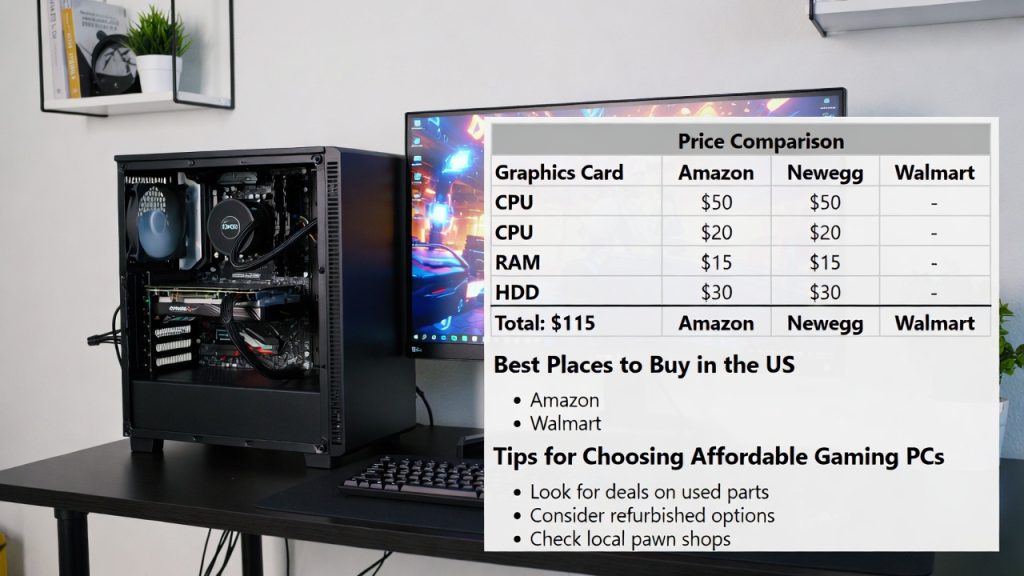
Price Comparison Table (Quick Scan: Approximate 2026 Used Prices)
| Part / Source | Typical Price Range | Best For | Notes |
|---|---|---|---|
| Base Office PC (eBay/FB) | $40–$70 | Core system | Durable business-grade |
| Low-End GPU (GT 1030/RX 550) | $20–$50 | Graphics boost | Check for no artifacts |
| 16GB DDR3 RAM | $10–$25 | Multitasking | Easy drop-in |
| SSD 256–512GB used | $15–$25 | Speed improvement | SATA common |
| Total Build | $70–$110 | Entry gaming | Deals vary by location/luck |
Pro Tips for All Platforms
- Daily checks: Use alerts on eBay/FB.
- Negotiate: “Can you do $50 shipped?” works 50% time.
- Verify: Run CPU-Z/HWiNFO on test boot.
- Avoid: Overseas sellers, no-returns “parts only.”
- Taxes/Shipping: Factor 10% extra; local first.
This ecosystem makes sub-$100 gaming viable; start local, fallback to eBay. Happy hunting!
Upgrade Paths & When to Spend More
These builds are starters. Later add better GPU (RX 580 used ~$80–$100), more RAM, or move to Ryzen AM4 platform for $200–$300 total. If serious gaming calls, save for $400+ new/used mix; much better 1080p experience.
Safety, Responsible Buying & Common Scams
Buying used PC parts for a cheap gaming setup under $100 can save you a lot of money, but it comes with risks. In 2026, with more people flipping old office hardware and crypto miners offloading gear, the secondhand market is bigger than ever.
However, scams have evolved too; AI-generated listings, fake profiles, and sophisticated fakes make it easier for bad actors to trick buyers. Based on recent reports from sites like Reddit, YouTube, and consumer watchdogs, scams on platforms like eBay, Facebook Marketplace, and Craigslist are common, especially for high-value items like GPUs or full systems.
This section dives deeper into the dangers, how to spot them, responsible practices, and real-world tips to stay safe while keeping your build eco-friendly.
Common Scams When Buying Used PC Parts in 2026
Scammers target budget buyers who are eager for deals, often using platforms without strong protections. Here are the most prevalent ones, with examples from recent cases:
Too-Good-To-Be-True Prices and Bait-and-Switch Listings advertise high-end parts (e.g., an RTX 3060 disguised as a 3090 via fake vBIOS flashing) at rock-bottom prices to lure you in. Once paid, you get junk or nothing. A 2026 YouTube case showed a buyer paying $350 for a “gaming PC” on Facebook Marketplace that promised an i7-14700K and RTX 4080 but delivered an old i5 with integrated graphics. Red flags: Prices 50%+ below market (check eBay “sold” listings for real averages, e.g., GT 1030 should be $30–$60 used).
Fake or Swapped Hardware Sellers swap internals: e.g., a working GPU shell with dead internals, or overclocked/mined cards that fail soon after. Crypto mining remnants from 2021–2023 booms still circulate, with GPUs like RX 560s that throttle due to wear. Common on Craigslist/Facebook: You arrive, and the item “suddenly” doesn’t work, or it’s a different model. Interstate scams via Marketplace involve shipping non-working electronics.
Payment Scams and Fake Websites/Profiles Sellers push unusual payments like gift cards, wire transfers, or Zelle outside platform protections. A classic: Redirect from Facebook/Craigslist to a fake eBay page for “secure” payment. AI-generated ads with elaborate backstories (e.g., “selling grandma’s PC”) lead to phishing sites. Profiles with no history or recent creation are suspect; check for empty friends lists or stock photos.
No-Show or Shipping Fraud For local pickups: Seller ghosts after deposit. For shipping: Item arrives damaged or not at all, with no tracking. eBay cases show “as-is” lots with hidden defects like faulty PSUs that could fry your build.
Data and Security Risks Used PCs might have malware or un wiped data. Less common but rising: Sellers install keyloggers before sale.
How to Avoid Scams: Step-by-Step Protection Strategies
Stay safe by treating every deal skeptically. Here’s how:
Research and Verify Before Committing
Compare prices: Use eBay’s “sold items” filter or tools like PCPartPicker to check averages. If a Dell OptiPlex i5 is listed at $20, it’s likely bait.
Check seller: On eBay, aim for 98%+ feedback with 1,000+ sales. On Facebook, view profile history—avoid new accounts. Google their username + “scam” for reports.
Test specs: Ask for photos of internals, CPU-Z screenshots, or live video boot tests.
Prioritize Safe Platforms and Payments
eBay: Best for protection; use PayPal Goods & Services (covers disputes up to 180 days). Avoid off-site deals.
Facebook/Craigslist: Only local, in-person with cash. Meet in public (police stations offer safe zones). No deposits or wires.
Avoid: Zelle, Venmo (friends/family mode, no recourse), gift cards. If shipping, insist on tracked USPS/FedEx.
Inspect and Test On-Site
For local: Bring a bootable USB (Ubuntu or Hiren’s BootCD) to test CPU, RAM, GPU. Run benchmarks like FurMark for GPU stress, check PSU voltages with a multimeter if possible. Open the case, look for dust buildup, swollen capacitors, or mining wear (discolored PCBs).
For shipped: Buy “tested working” with return policy. Upon arrival, test immediately and dispute if faulty.
Report and Recover
Scammed? Report to platform (eBay resolution center, Facebook help), FTC.gov, or local police for large amounts. PayPal often refunds. In 2026, AI scam detection on platforms is better, but user reports help.
Responsible Buying Practices
Beyond scams, buy responsibly to ensure longevity and ethics:
Hardware Safety Checks PSUs are critical; old ones (300–400W in office PCs) might not handle a GPU safely. Test wattage/draw with tools like HWMonitor; replace if under 350W rated (cheap used ~$20). Clean dust to prevent overheating. Ground yourself to avoid static damage during upgrades.
Eco and Ethical Angle Reusing hardware reduces e-waste; US landfills see millions of tons yearly from discarded electronics. Buying used supports circular economy; sites like Goodwill recycle unsold items. Wipe drives fully (DBAN or Windows reset) for privacy.
Budget Mindset Don’t overspend chasing “deals”, set a $100 hard limit. If a part fails, factor repair costs. Start small: Test with free games before committing.
Quick Reference Table: Scam Red Flags vs. Safe Signs
| Red Flag | Safe Sign | Action Tip |
|---|---|---|
| Price too low | Matches sold averages | Check eBay sold listings |
| Unusual payment (gift cards) | PayPal Goods & Services | Stick to protected methods |
| New/empty profile | High feedback, old account | Google username + “scam” |
| No in-person test | Allows full inspection | Bring testing tools/USB |
| “As-is” no returns | Warranty or returns offered | Prioritize eBay/Micro Center |
In summary, vigilance turns risks into rewards. With these tips, your under-$100 gaming PC hunt can be safe and successful; many buyers report great experiences when cautious. Always prioritize local, tested buys over quick online flips.
Frequently Asked Questions (FAQ) about Cheap Gaming PC Under $100
This FAQ section addresses the most common questions people ask when searching for or considering a cheap gaming PC under $100 in 2026. These come from real user discussions on forums like Reddit, YouTube comments, TikTok builds, and budget PC guides.
The answers stay grounded in current market realities: used parts dominate at this price, performance is limited to esports and older titles, and patience is key for deals.
Q: Can you really build or buy a gaming PC under $100 in 2026?
A: Yes, but only with used or surplus parts; brand-new is impossible. The realistic way is starting with a cheap used business desktop (like a Dell OptiPlex 7010 or HP EliteDesk with an i5-3xxx/4xxx series CPU) for $40–$70 on eBay or Facebook Marketplace, then adding a low-end used GPU (GT 1030 or RX 550 low-profile) for $20–$50 and maybe extra RAM/SSD.
Many people have documented builds in 2025–2026 videos and posts hitting around $80–$110 total, running lighter games at playable frame rates. It won’t handle modern AAA titles smoothly, but for entry-level esports or casual play, it works. If your searches turn up “no” answers, they’re usually assuming new parts only.
Q: What are the best games that actually run well on a sub-$100 gaming PC?
A: Focus on esports, competitive, and older/well-optimized titles that don’t demand heavy GPU power. Top performers include:
- Valorant: 90–150+ fps on low 1080p or 720p
- Fortnite (competitive/performance mode): 60–100 fps low settings
- CS2 (Counter-Strike 2): 80–120+ fps low
- League of Legends: 100+ fps medium
- Rocket League: Smooth 60+ fps
- Minecraft (vanilla or light mods): 80–120 fps
- Roblox, GTA V (low 40–60 fps 1080p), older games like Skyrim or Fallout 4 These shine because they rely more on CPU and are forgiving on graphics. Avoid anything with ray tracing or high VRAM needs; modern AAA like Cyberpunk or Alan Wake 2 will struggle or require massive resolution drops to unplayable levels.
Q: Should I Buy New Parts or Stick to Used/Refurbished at this Budget?
A: Used or refurbished is the only option under $100; new parts push totals to $300+ minimum for anything gaming-capable. Used business PCs (OptiPlex, EliteDesk, ThinkCentre) are durable and abundant from corporate upgrades.
Low-profile GPUs from eBay are fine if you check seller feedback and test on arrival. Refurbished from Micro Center or Amazon Renewed adds some warranty peace of mind but costs more. New is better for longevity and support, but save that for a $400+ jump when you’re ready for 1080p medium/high settings.
Q: What if I can’t find deals locally, should I just give up or increase the budget?
A: Don’t give up; expand your search radius on Facebook Marketplace/Craigslist (50–100 miles) or go nationwide on eBay with US-only filters. Daily checks and alerts help; deals rotate fast. If nothing pans out after a week or two, consider bumping to $150–$200 for a stronger base (e.g., newer i5/i7 office PC + better GPU like GTX 1050 Ti). Many start at $100 and upgrade piecemeal (add GPU later). Mini PCs like Beelink models are tempting alternatives but usually start $150+ and aren’t true “builds.”
Q: Will this setup be good for more than just gaming, like schoolwork or browsing?
A: Absolutely; most of these used office PCs excel at everyday tasks. With 16GB RAM and an SSD swap, you’ll get snappy Windows performance for web browsing, streaming, Microsoft Office, light photo editing, or even basic coding. The quad-core CPUs handle multitasking well, and you get full PC flexibility (multiple monitors, peripherals, free software). It’s often better than a cheap laptop for productivity at similar cost.
Q: How long will a sub-$100 Used PC last, and is it worth the Effort?
A: 2–5+ years depending on care and use; business-grade hardware is built tough with good cooling and reliable components. Dust cleaning every 6 months extends life; avoid overclocking.
Many users report 5+ years on similar 2010s-era OptiPlex builds. The effort pays off if you’re patient and enjoy the hunt, it’s a fun entry into PC gaming without debt. If you hate troubleshooting, a $500–$800 prebuilt might be easier long-term.
Q: Are there any alternatives if a full PC feels too complicated?
A: Yes, cloud gaming (Xbox Game Pass Ultimate or GeForce Now) on a cheap laptop/phone works for many titles with good internet. Handhelds like used Steam Deck (~$200+) or budget Android emulators for retro games are simpler. Raspberry Pi 5 setups (~$100 total) handle emulation and light indie games but aren’t true “gaming PCs.” If budget stretches, a used console (Xbox Series S ~$200) often delivers better plug-and-play experience.
Conclusion + CTA on Cheap Gaming PC Under $100
A cheap gaming PC under $100 in 2026 means hunting used office desktops, adding minimal upgrades, and accepting entry-level performance. It’s doable, fun for beginners or side rigs, and a smart way to enter PC gaming without big spending. Patience in deal-hunting pays off.
What’s the best budget find you’ve spotted lately? Share your city or recent eBay win in the comments; your tip could help someone else build theirs!
